
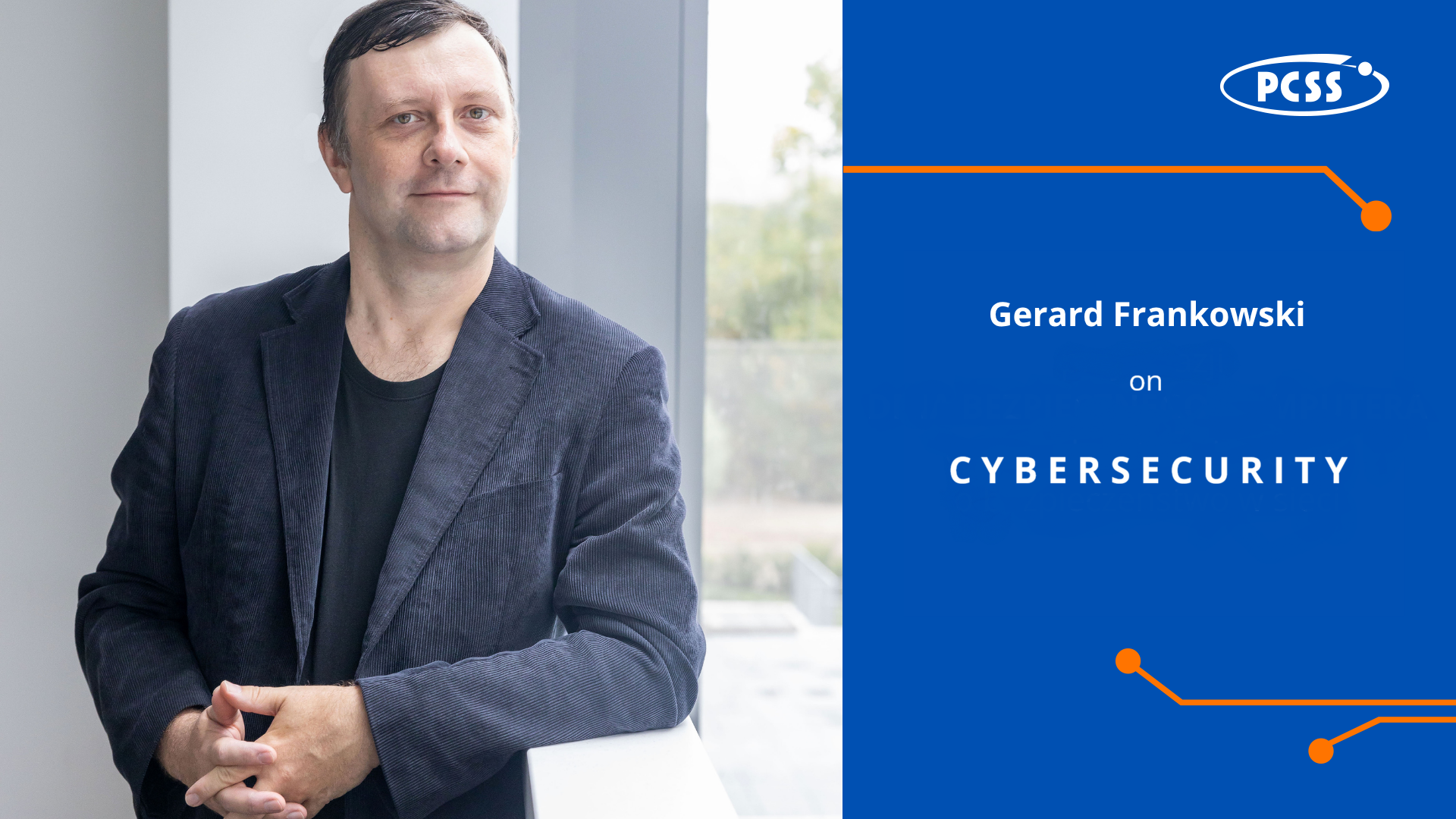
The interview was conducted by Karolina Michalak (PCSS).
Karolina Michalak: In recent months, we’ve had a lot of news concerning cyberattacks, data breaches and online scams. Is the problem really as widespread as it seems, or perhaps are the media exaggerating these issues just to generate more clicks? Should we be actually worried?
Gerard Frankowski: The scale of the problem is certainly significant. It is a complex issue and the media certainly do play their part in it. It’s no secret that sensation – whether big or small – sells news. On the other hand, we need to give the devil his due and admit that contemporary media also help to raise awareness and education in this respect. There are, of course, several factors that have contributed to the growing scale of these threats in recent years. The first one I should name is the geopolitical situation in the whole world. Attacks targeting critical infrastructure and institutional systems are becoming more frequent. However, their aim is not necessarily to cause the kind of damage typically associated with cybercrime, such as stealing data or money. Hostile foreign forces may carry out such attacks to test security measures on selected computers. The two main reasons for that may be: one – to see whether the computers can be easily taken control of or two – to determine the most effective way to attack them. What follows is likely to be preparation for a later distributed attack against a specific target. In other words, the attacker may first try to compromise as many computers located in Poland as possible and then use them to launch a coordinated, large-scale attack – for example, against a government system. In such a scenario, the traffic doesn’t come directly from the infrastructure of the country carrying out the attack – if that were the case, it would be easier to identify and block it.
KM: Does it mean that any personal computer could be used to carry out cyberattacks?
GF: Yes. The reason behind such attacks is to, let’s say, pull “the wolf in sheep’s clothing” – since the taken over computer is located in Poland, it makes its activity appear more trustworthy. Users of public services generally connect from within our country, so they are generally not blocked. From the attacker’s perspective, it’s much easier to take over an average person’s computer – especially that most users aren’t even aware of such risks – than a machine being used and taken care of within the infrastructure of an organisation. The second factor behind the increase in attacks is the use of artificial intelligence to accelerate the process of identifying vulnerabilities in open-source software, computers and systems, in order to exploit them for various purposes. The goal here is to cause harm by taking advantage of a security flaw or bug. When it comes to identifying errors in code, AI is much faster than humans – so using it will significantly increase the scale of such activities, especially since relatively few people are capable of finding such flaws on their own.
KM: What exactly is a cyberattack?
GF: A cyberattack can be described as a form of abuse carried out with a conscious intention of gaining some kind of advantage. These are activities involving the use of technology or computer networks in a way that was never intended by the creators of a given system, and is definitely not supported by them. Most commonly, cyberattacks involve stealing data or money, publishing false information, or using a compromised system to launch further attacks.
KM: When should we be alarmed that our computer may actually have been hacked?
GF: That depends on the kind of attack we are talking about. Take Advanced Persistent Threat or simply ATP, as we commonly call it. Here the attackers’ prerogative is to remain undetected: they want the user to be unaware of anything suspicious, while they maintain access to the system and, for instance, continuously collect sensitive information. On the other hand, there are ransomware attacks. First the hacker encrypts our files or even the computer itself, and then the user is treated with a ransom demand displayed on the screen, asking for payment in exchange for the key to decrypt the data.
KM: How can my computer get infected with ransomware?
GF: Well, the most common scenario involves a malicious link or attachment sent in an e-mail and an unaware user. Just one careless click – and unfortunately we let the attacker in ourselves. There is also a risk posed by an outdated PDF reader. A specially crafted PDF file, containing a malicious code, takes advantage of such a vulnerability, allowing the attacker to take control of the computer. Another example is rather rare but considerably more dangerous – it involves a vulnerability in the operational system or antivirus software that can be exploited without any action on the user’s part. All it takes for the cybercriminal to take over a machine with that weakness is to send it a specially prepared file or just a network message. Similar incidents should also be taken into account when we consider the security of smartphones, as it is possible to take those devices over simply by sending a maliciously crafted MMS. What’s worse, the user doesn’t even have to open such a message to start the process! That’s why the key aspects of computer security are: number one – keeping your operating system, as well as software up to date, and number two – being careful with attachments or unknown links.
KM: Let’s say that I received an email with an attachment, opened it, and now my computer is infected. What should I do?
GF: First, disconnect your computer from the Internet to prevent the malware from continuing its activities, such as receiving commands from the attacker or transmitting stolen data. It’s best to unplug the network cable, but at the same time it’s important not to shut down the computer. If you want to establish what exactly happened, the running system may contain valuable information and evidence of the attack. Some types of malware may even attempt to erase their tracks when the system is being shut down.
KM: So, even after the incident, traces of the attack may still be present in the system?
GF: Malware can leave traces in various parts of the system, yet finding them isn’t always easy. Even a fraudulent email sent by someone who has managed to obtain personal information through deception can be an important piece of evidence. However, the fundamental thing for a casual user is to act before any attack occurs – which means paying attention to unusual situations or behaviour and exercising common sense. Suspicious e-mails or messages sent through various communication apps, requests for passwords or credit card numbers, offers that are too good to be true, notifications claiming that you’ve won a prize, or requests to transfer money – all of that should be treated as a red flag!
KM: Is it possible for a computer to get infected without opening an email or clicking a link? For example, simply by surfing the Internet and opening websites?
GF: Well, yes – however, such cases are relatively rare. If we’re using an outdated browser, we may visit a website containing a malicious element, such as a picture designed to exploit a vulnerability in the part of the browser responsible for displaying images. There are cases in which just opening a website like this is enough – you don’t need to click anything. That is why we must be cautious Internet explorers (no pun intended) – especially when someone is pressuring us to visit a particular site we haven’t opened before. There you go, it’s another reason why keeping your operating system, browser and other software up-to-date is so important. Mark my words, that does help to minimise the risk.
KM: Does it matter where we download apps from?
GF: But of course! The safest approach is to use official app stores and software developers’ websites. It’s also good to check user reviews, the number of downloads and developer’s responses to reported problems. That doesn’t give you 100% guarantee of safety, because even official app stores occasionally contain malicious applications. Nevertheless, for an average user, there is simply no better approach. We also should not install software from random links, which we often get in e-mails or private messages. It’s much safer to download programs directly from the developer’s website or from an official online store dedicated for our smartphone’s operating system.
KM: So far, we have focused on average users, but what about companies and organisations that process tons of information? What should they do to make sure that their cybersecurity is genuinely effective?
GF: I think that’s a topic for a separate conversation, which by the way is not gonna be a short one. On the one hand, everything I’ve told you so far is relevant for most people – doesn’t matter if someone uses a computer for private or professional purposes. It’s the same Internet regardless of the reason why you surf it. What does matter is your awareness of basic cybersecurity principles which truly are essential for anyone who gets in touch with modern digital services. On the other hand, every organisation needs to establish a structured approach to security, with clear compulsory guidelines tailored to every employee’s role. That includes establishing proper procedures, configuring networks and systems by following recognised standards and best practices, as well as complying with relevant legal requirements. If I had to put a huge amount of essential knowledge in a nutshell, I’d say that an organisation should adopt the strategy known as defence in depth, which involves implementing multiple layers of protection. They should cover awareness of users and procedures, physical security, data, software, systems and networks. The goal is to make an attack so difficult and costly that it’s no longer worth the time and effort, not to mention the risk of being caught red-handed.
KM: What services does PCSS offer organisations, companies and institutions? And is there anything available for the so-called average user as well?
GF: The ICT Security Department of our Center has been sharing its expertise with the commercial sector for over a quarter of a century. So, we have established effective ways of working with clients and developed proven procedures and practices. We can carry out security audits of applications, servers and entire networks to reduce the risk of an attack. We can even prepare an accurate prediction of such risk by conducting a penetration test, which involves a controlled attempt to break into a system or network. It’s also possible for us to carry out simulated social engineering attacks against an organisation. If an incident has already occurred, we can also help to investigate and analyse it, assist in preparing evidence for the relevant authorities, finally identify and patch the vulnerabilities that allowed for the attack to be successful. It’s possible for us to review existing security documentation or develop it from scratch. We also provide training for all kinds of users, system administrators and even software developers – who will be provided with our guidance on how to write applications with as few security vulnerabilities as possible. Moreover, there is a particularly interesting offer for small and medium-sized enterprises that I’d like to highlight. PCSS hosts a European Digital Innovation Hub specialising in cybersecurity, called CyberSec EDIH. Together with several partners, we provide selected services, including support for implementation of AI systems, free of charge to SMEs across Poland! This is made possible through national and EU funding. Isn’t that great?
KM: Pretty awesome!
GF: Well, we encourage everyone who is interested in this option to get in touch with us directly through our website: https://cyber-sec.net.pl/. Coming back to your question, individual users – including those without any technical background – can benefit from the cybersecurity awareness training that we provide on occasions such as Safer Internet Day and Researchers’ Night. We also support various free educational events at which we explain how each user can, and actually should, protect him- or herself against threats in cyberspace.
KM: If you were to write ten commandments of cybersecurity, what would they be?
GF: Oh boy! Could we make it hexadecimal? That way I could fit in a few more recommendations! No? OK, in that case I believe the ten commandments of a secure computer should go like that:
1. Keep everything up-to-date.
Regularly update your operating system, browser and all the programs you use. If you’re a home user, enable automatic updates wherever possible.
2. Don’t use an administrator account for everyday tasks.
Use a standard user account and grant yourself the admin privileges only when necessary, for example, when you want to install a new – trusted program.
3. Install only what you need.
The more applications you have installed, the larger potential for attacking your computer you provide. Remove the programs you no longer use.
4. Download apps only from trusted sources.
Use official app stores and developers’ websites. Be wary of software obtained from any sources you don’t have a reason to trust. Using your smartphone, avoid granting apps excessive permissions when they request access to your data or device features that are not necessary for them to work properly.
5. Use long, unique passwords.
A good password should most of all be long. Length is generally considered more important than the inclusion of numbers or special characters. Passphrases that are easy to remember but difficult to guess can be particularly useful, take VioletUnderwaterApples – although there are no digits, no hashtags or exclamation marks, it is quite long yet original and easy to remember at the same time. To manage different passwords for multiple services easily, use a password manager installed on your computer.
6. Enable multi-factor authentication.
Whenever a service offers multi-factor authentication, use it. That provides an additional verification in the form of a short code either emailed or texted to you. An extra authentication factor makes it much harder for someone to take over your account.
7. Back up your data.
Regular backups stored on a separate drive can save your data in case your hardware should fail or be attacked.
8. Don’t connect storage devices from unknown sources.
Remember that a USB flash drive or external hard drive that you may find or receive from an untrusted source may contain malware!
9. Don’t trust messages or links at first glance.
Even the best security measures cannot replace common sense. Be wary of suspicious messages, links, attachments and offers that seem too good to be true. Before clicking a link or opening an attachment, check who sent it and ask yourself whether the message makes sense. For example, are you actually a customer of the company which is supposedly contacting you?
10. Stay alert.
Antivirus software and other security measures help to protect you, but they cannot guarantee complete safety. The most important element of cybersecurity is an informed and vigilant user.